Every post sells with a face and a number
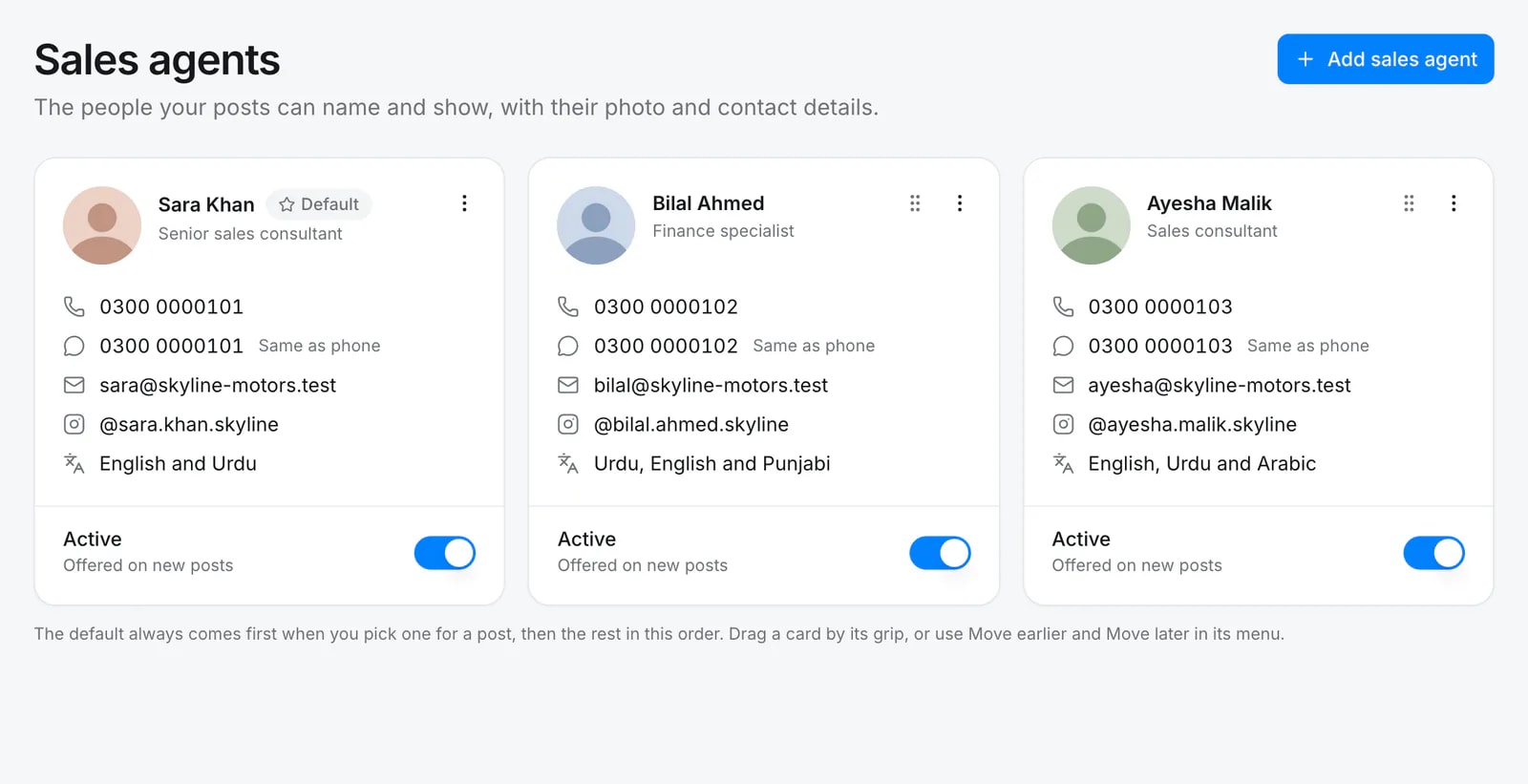
Buyers message people, not logos. Add your sales agents once, with a headshot, title, phone and WhatsApp, and Quevix places the right agent on each post, story and reel.
- Headshot, title, phone, WhatsApp and email
- Pick an agent per post
- Templates with a sales agent slot
- Contact line added to captions
- Managed per workspace
Quick answer
Why put a sales agent on social media posts?
Posts that show a real salesperson with a direct phone or WhatsApp number turn viewers into conversations faster than a generic “contact us”. In Quevix you keep a sales agent profile per person in each workspace and pick one in the composer; templates with a sales agent slot add their photo and contact automatically, and the caption ends with their contact line.
Sales agents: what you get
Leads reach the right person
The agent who listed the car gets the enquiry, straight on WhatsApp or by phone.
Trust you can see
A friendly face on “just sold” and delivery posts builds the reputation of your team.
Works in every industry
Built for car dealers first, and available to any business whose team sells: travel agents, property consultants and more.
Pick the agent for each post
The default agent comes first. Switch to another in one click, or choose no agent, and every design updates with their photo, name and number.
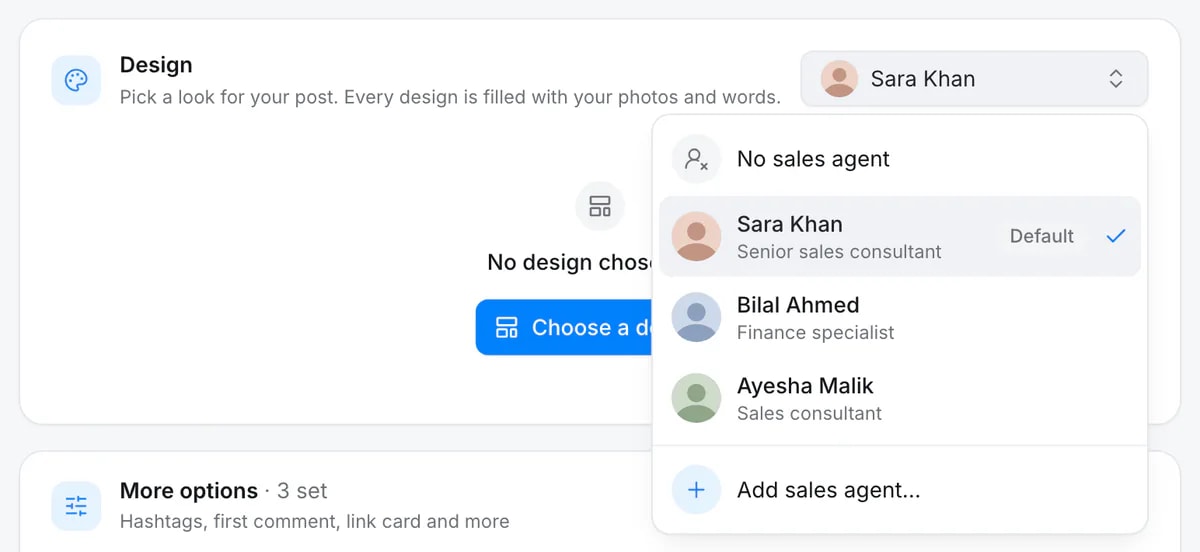
The same design, with and without an agent
Designs marked “with sales agent” add a footer with the agent’s photo, title, phone and WhatsApp. The photos here are placeholders, not real people.


How it works
- Step 1
Add your team
Create a profile for each sales agent with a photo and contact details.
- Step 2
Choose an agent in the composer
Pick who the post is for. Their details fill the template and the caption.
- Step 3
Publish
The post goes out with the agent’s face and number, ready for enquiries.
Agent designs, rendered


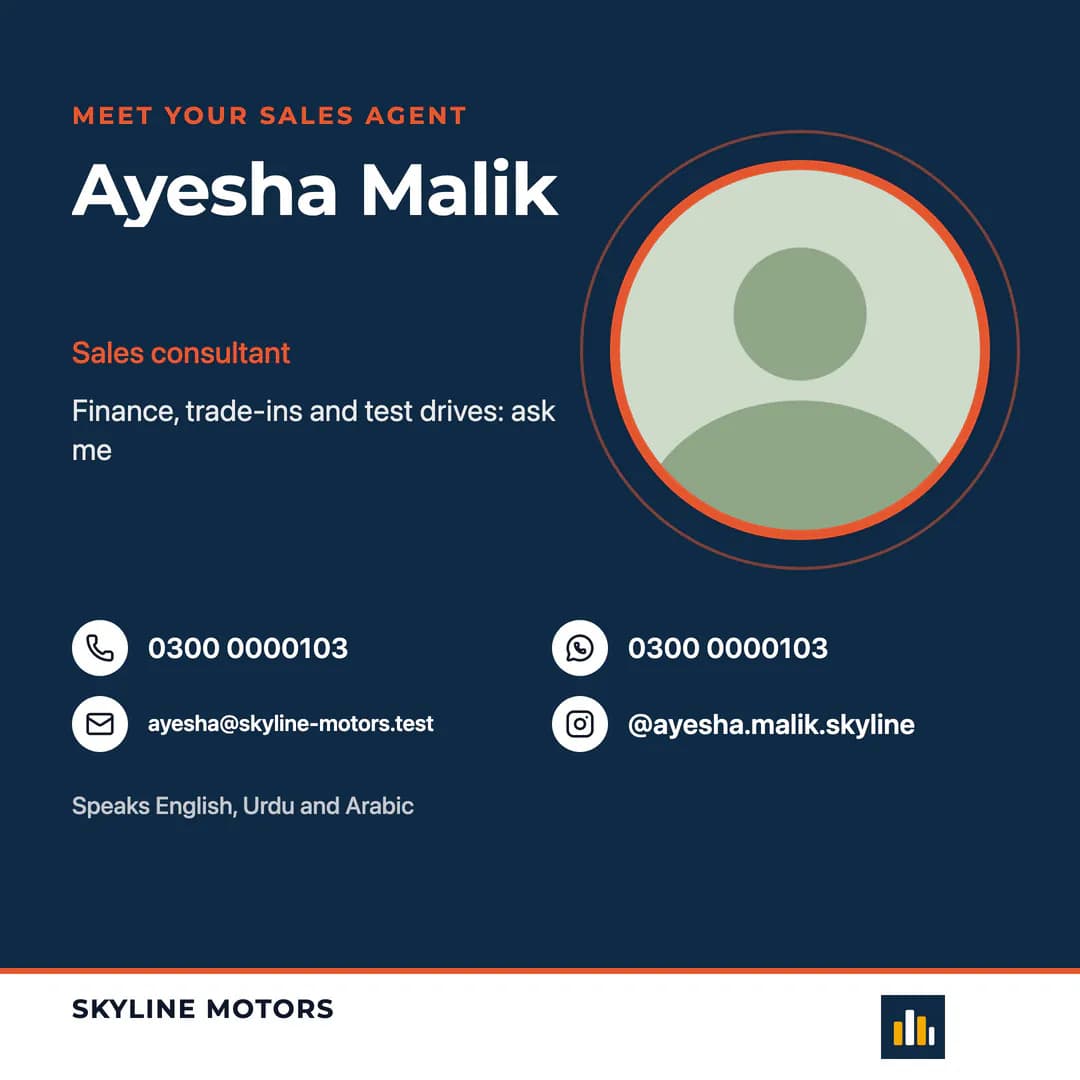

Sales agent templates for dealers
Most car dealer templates come in a version with a sales agent: just arrived, price drop, finance offer, test drive, delivered and a “meet your sales agent” introduction post.
Frequently asked questions
How many sales agents can I add?
It depends on your plan. See the pricing page for the number of sales agent profiles per workspace.
Is the sales agents feature only for car dealers?
No. It is switched on by default for car dealers and can be used in every industry.
Keep exploring
All features- IndustryCar dealershipsPost every car in stock with templates, reels and sales agents.
- FeaturePost templatesReady-made, on-brand designs for posts, stories and reels.
- Car dealersSocial media marketing for car dealerships: the complete guideHow car dealers can use Facebook, Instagram, TikTok and LinkedIn to sell more cars: platforms, content, posting rhythm, sales agents, tools and measurement.
Start posting with Quevix today
Free plan, no card required. Connect your accounts and publish your first AI-written post in minutes.