Social media posts written by AI, in your voice
Describe the post, pick the networks and let Quevix draft captions, hashtags and a call to action for each one. You stay the editor: nothing goes out until you approve it.
- One brief, a tailored caption for every network
- Four brand tones: friendly, professional, premium, energetic
- Hashtags and call to action included
- Writes in English, Urdu, Roman Urdu and Arabic
- Edit or regenerate any draft
Quick answer
What is an AI social media post generator?
An AI social media post generator writes the text of a social post for you from a short brief, a link or a photo. Quevix goes further: it reads your brand kit (tone, audience, topics, contact line and language), writes a version tuned to each network’s length and hashtag habits, and puts the result straight into the scheduler.
AI post generator: what you get
Starts from your brand kit
Your business name, tone, audience, usual topics and contact line are part of every prompt, so the first draft already sounds like you.
Knows each network’s rules
X gets a short, punchy line. LinkedIn gets a fuller post. Instagram gets its hashtags. Quevix respects each platform’s character limit as it writes.
From blank page to scheduled
The draft lands in the composer with media, networks and time slots, so writing and scheduling are one step, not two tools.
Credits you can see
Each plan includes a monthly allowance of AI credits. Writing a caption costs fewer credits than generating an image, and usage is shown before you spend it.
A one-line brief becomes a caption for every network
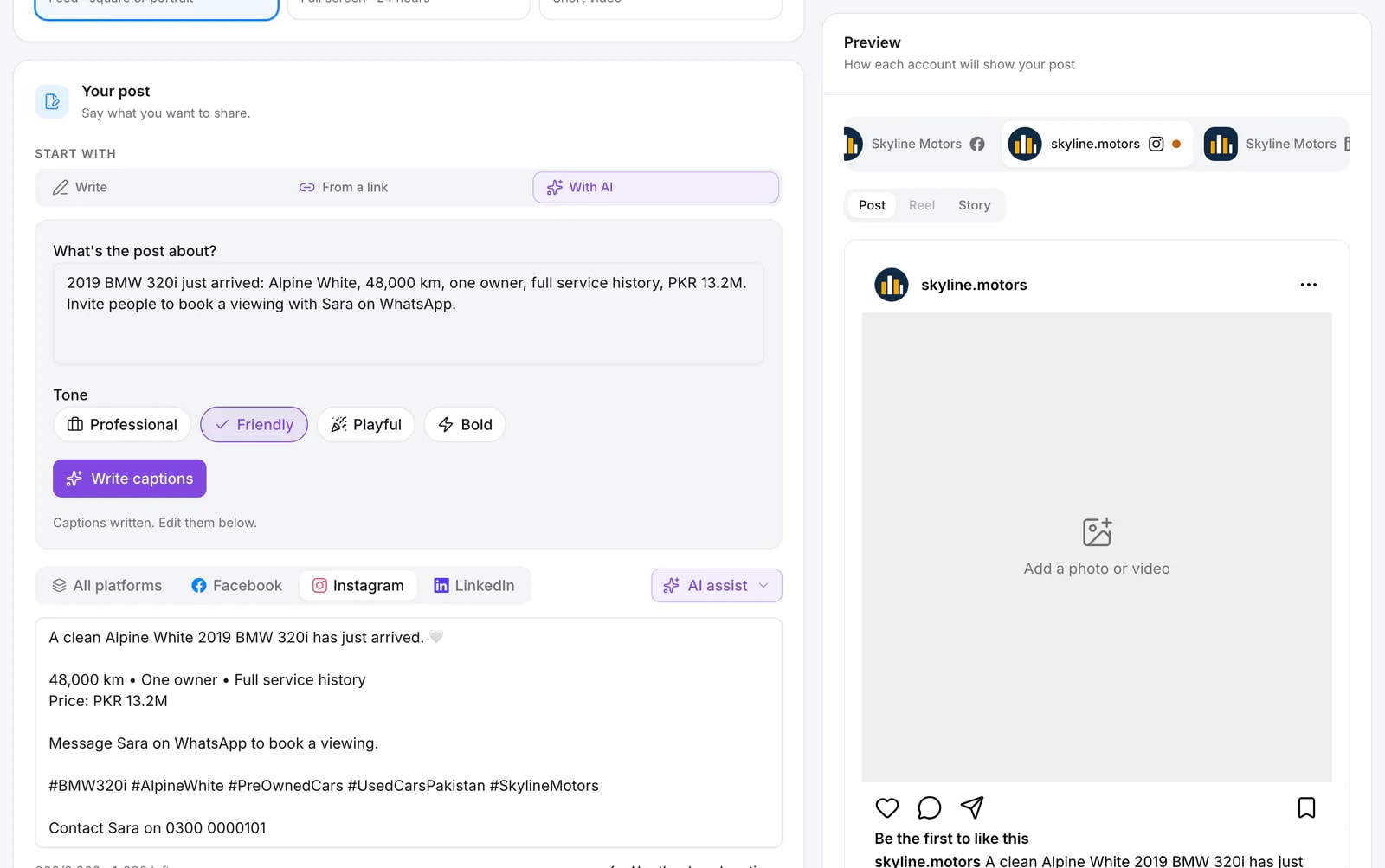
Type what the post is about and pick a tone. Quevix writes the caption, then a version for each network you picked, and the preview shows how each account will display it.
- Professional, friendly, playful or bold
- Separate tabs for Facebook, Instagram and LinkedIn
- The sales agent’s contact line added for you
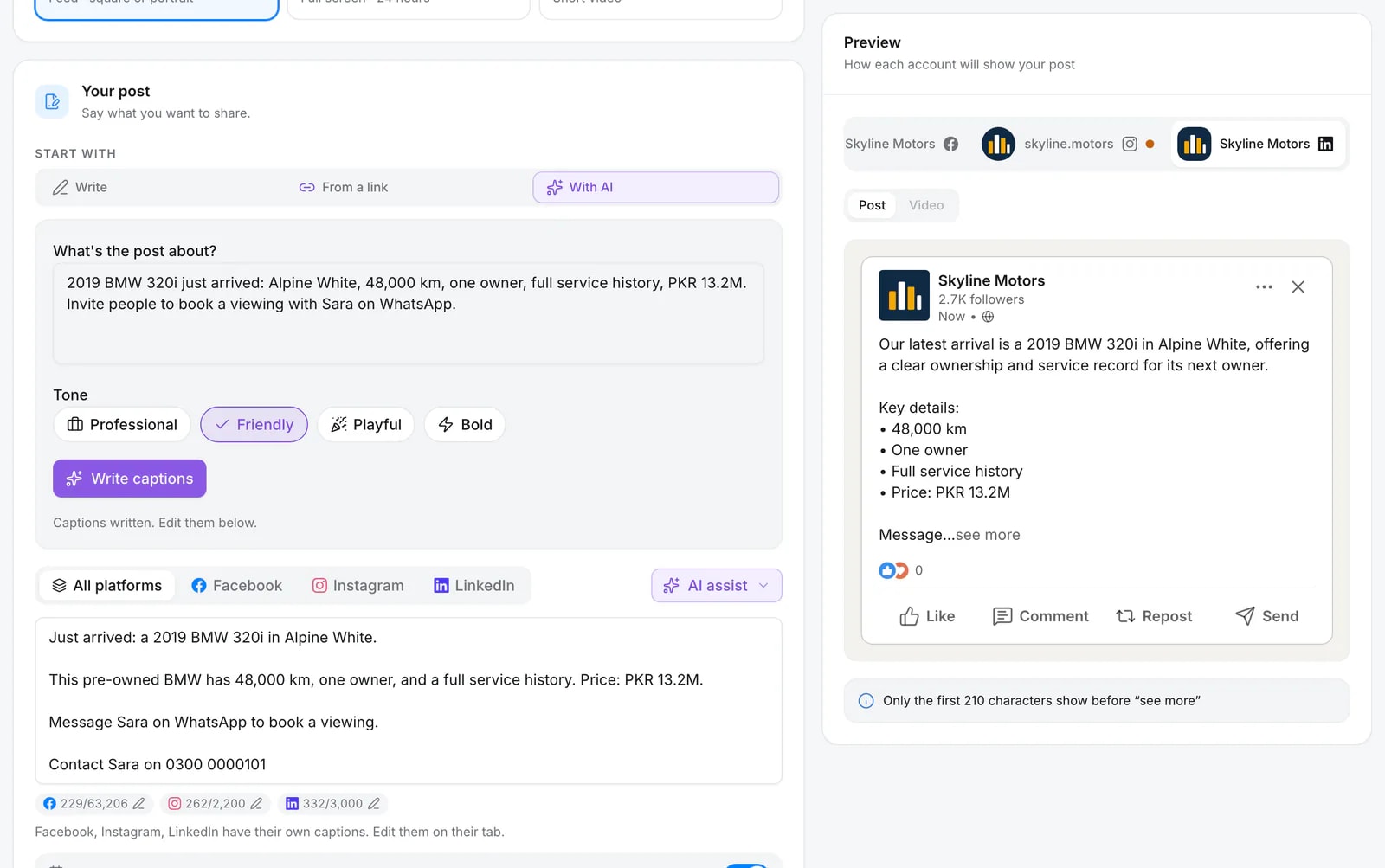
Pick the tone before it writes
Four tones sit under the brief. Choose one and every caption, on every network, is written in it. Your brand kit supplies the rest: who you sell to, the words you use and the ones you avoid.
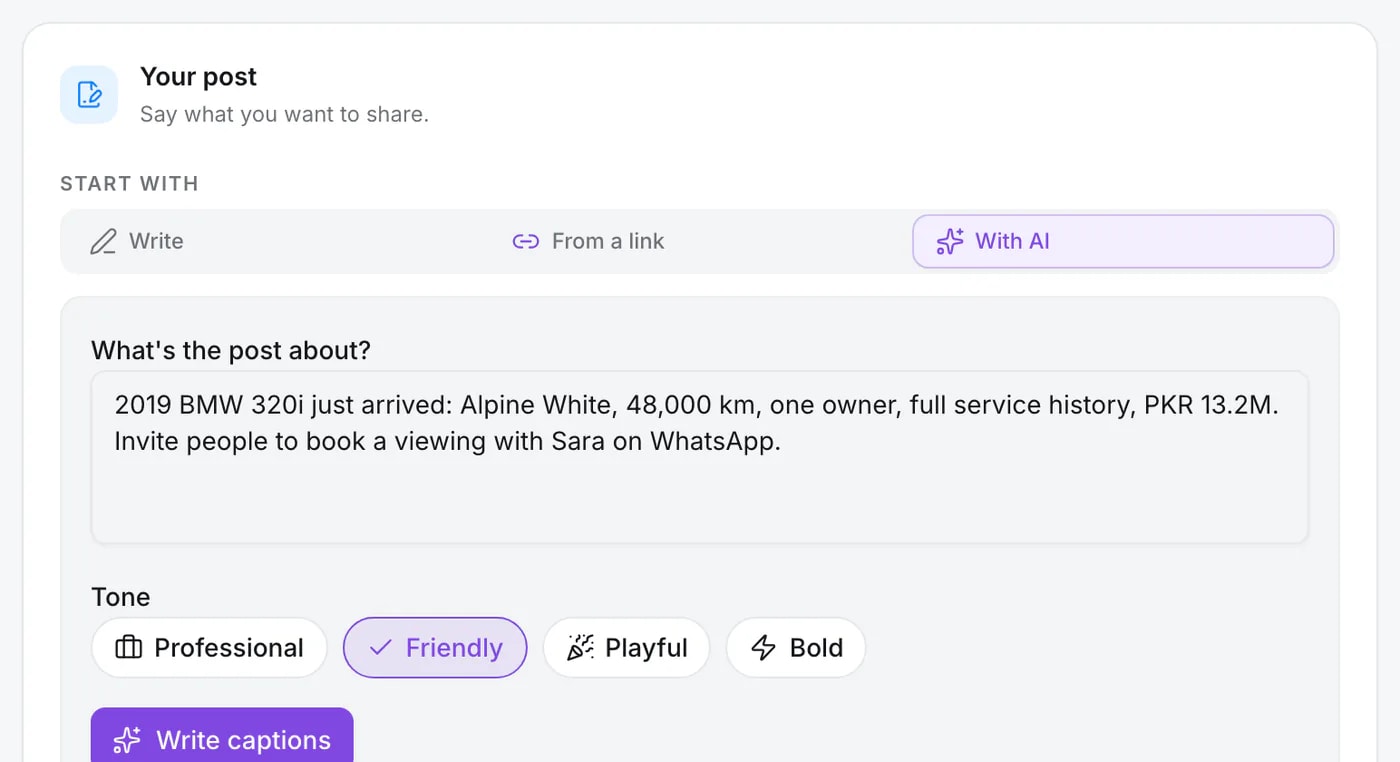
Each network gets its own version
Instagram gets hashtags, LinkedIn a fuller post, X a shorter one. Every version is yours to edit on its own tab before anything is scheduled.
How it works
- Step 1
Write a one-line brief
For example: “New arrival, 2023 SUV, single owner, finance available.” Or paste a link instead.
- Step 2
Pick networks and tone
Choose where the post goes. Quevix uses your brand kit tone unless you switch it for this post.
- Step 3
Review the drafts
Each network gets its own version. Edit any line or regenerate the whole draft.
- Step 4
Schedule or publish
Publish now, pick a time, or send it for approval if your role requires it.
Why AI-written posts often sound generic, and how Quevix avoids it
Most AI writers only see the sentence you type, so they fall back on the same upbeat phrases for every business. Quevix sends the model your brand kit as well: who you sell to, the topics you post about, words to avoid and the line people use to contact you.
The result is a draft that names your business, uses your contact details and keeps your tone. You still read every post before it goes live, and you can set an approval workflow so editors’ drafts wait for a manager.
Built for businesses that post a lot of similar content
Car dealers post new arrivals, price drops and deliveries every week. Travel agencies post packages and departures. The AI post generator is tuned for that kind of repeat posting: one brief per item, a fresh caption every time, no copy-paste.
Pair it with post templates for the image and link to post when the details already live on your website.
Frequently asked questions
Can I edit what the AI writes?
Yes. Every draft opens in the composer as normal text. Edit it, regenerate it or replace it before you schedule. Nothing is published without you, or your approver, pressing the button.
Which languages can the AI write in?
English, Urdu (in Urdu script), Roman Urdu and Arabic. The default comes from your brand kit, and you can switch the language for a single post.
How many AI posts can I generate?
It depends on your plan’s monthly AI credits. Writing text uses fewer credits than generating images. See the pricing page for the current allowance per plan.
Does Quevix post automatically without me?
Only when you schedule it. Quevix drafts the content, but you decide what is published and when.
Keep exploring
All features- FeatureLink to postPaste any URL and get a ready-to-publish post with its photos.
- FeatureBrand kitColours, logo, tone and audience the AI and templates follow.
- FeatureUrdu and Arabic captionsAI captions in English, Urdu, Roman Urdu and Arabic.
- Car dealersAI captions for car sales posts: 20 examples and how to write themHow to write car sales captions with AI that sound human: a formula, 20 ready examples by post type and tone, and tips for Urdu and Arabic audiences.
Start posting with Quevix today
Free plan, no card required. Connect your accounts and publish your first AI-written post in minutes.