Paste a link. Get a post.
Drop in the URL of a car listing, a product page or an article. Quevix reads the page, pulls out the facts and photos that matter, and writes the post for you.
- Works with listings, product pages and articles
- Extracts facts like price, year and mileage
- Imports the page’s photos into the post
- Writes a caption per network in your tone
- Keeps or drops the link where the network allows
Quick answer
How do you turn a link into a social media post?
In Quevix, paste the URL into the composer and choose “From link”. Quevix fetches the page, extracts the title, key facts and images, and writes a caption for each selected network. For a car listing it picks up details such as year, mileage, transmission and fuel type, and can import up to ten listing photos.
Link to post: what you get
No retyping specs
The details already on your website become the caption. Fewer typos, and no switching between tabs.
Photos come with it
Listing images are imported straight into the post, ready for a carousel or a template.
Right for each network
On Facebook and LinkedIn the link stays clickable. On Instagram, where caption links do not work, Quevix writes a call to action instead.
Seconds per post
Post every new arrival or product the day it goes live on your website, without a copywriter.
Every fact on the page, read for you
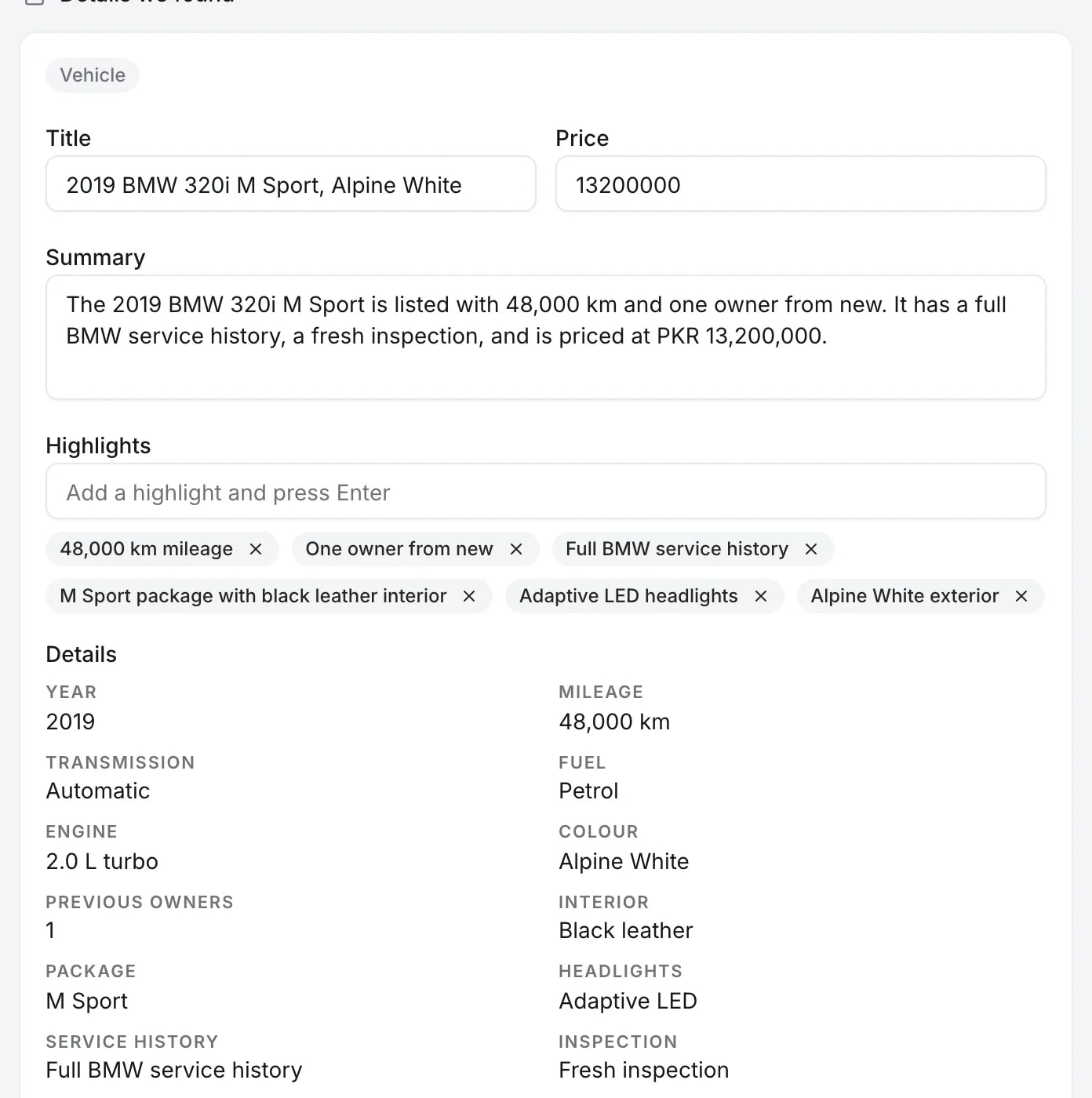
Quevix reads the listing and lists what it found: title, price, a summary, highlights and the car’s details, from year and mileage to colour and service history. Change anything before it goes into the post.
The photos come with it
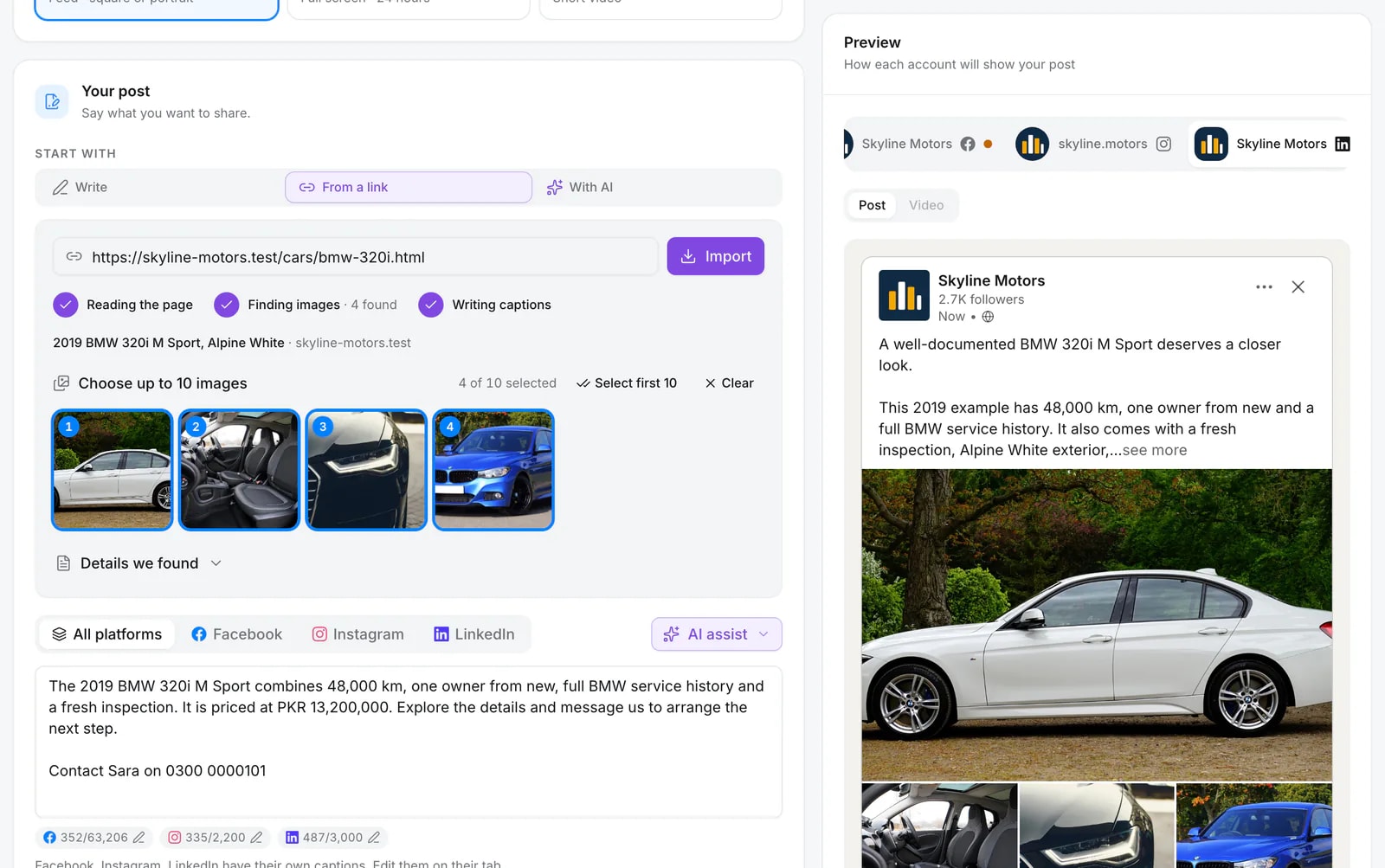
The listing’s photos appear ready to pick, in order. Choose up to ten and the preview shows the post as each network will display it.
Designs drawn with your listing
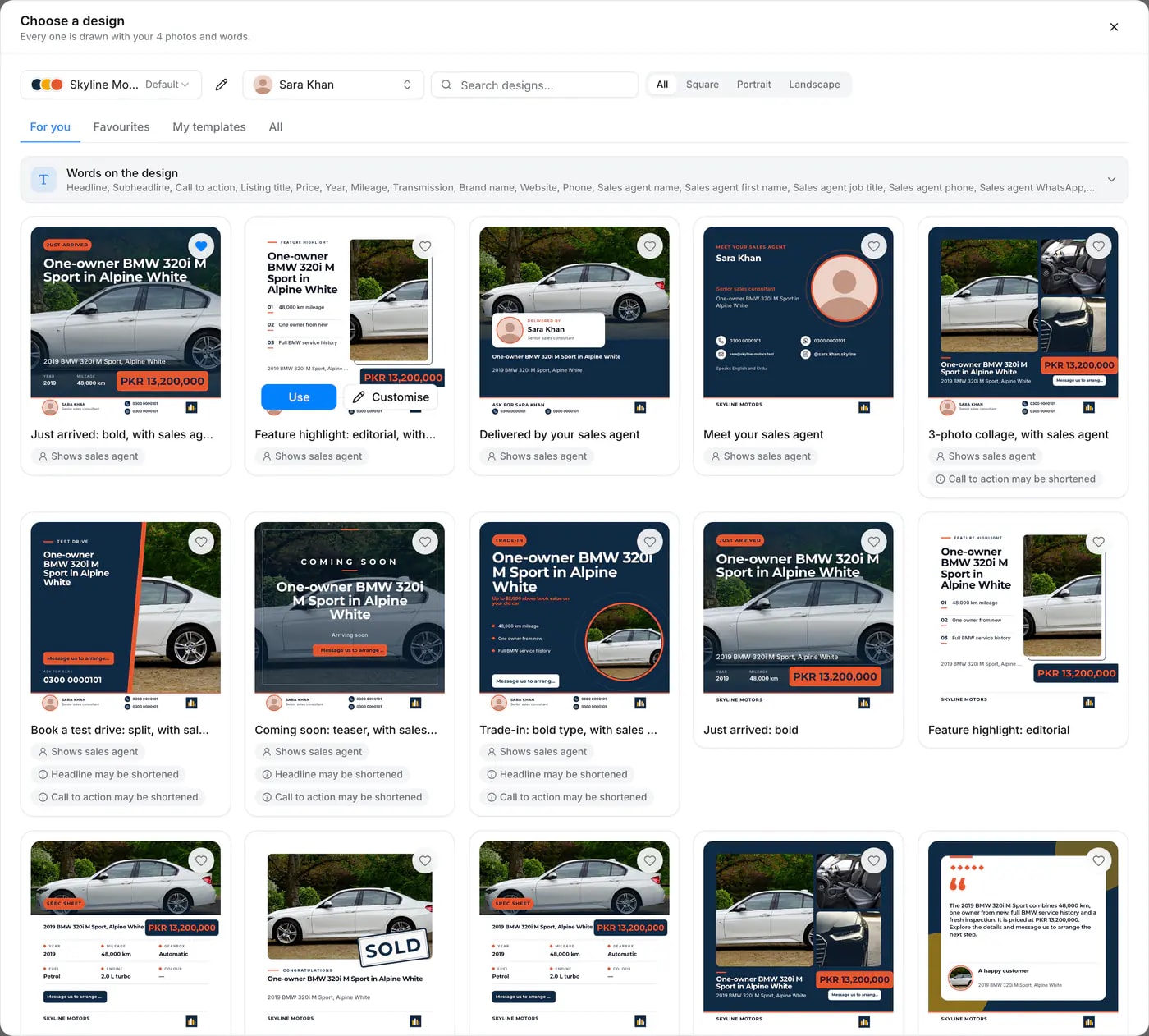
Open the designs and every one is already filled with the car, the price, your logo and your sales agent. Pick one and it is rendered for you. See post templates.
How it works
- Step 1
Paste the URL
Any public page works: your stock listing, a marketplace ad, a product or a blog post.
- Step 2
Check the facts
Quevix shows what it found. Correct a price or remove a photo before writing.
- Step 3
Generate and schedule
Get a caption per network, then publish now or add it to the calendar.
Made for inventory-heavy businesses
A dealership with 60 cars in stock cannot hand-write 60 posts a week. With link to post, every listing on your website is one paste away from a finished post, complete with photos and the details buyers ask about.
Combine it with a car dealer template to put the price and your sales agent’s contact on the image.
Frequently asked questions
Which websites does link to post work with?
Any public web page Quevix can read: dealership websites, marketplace listings, online shops and blogs. Pages behind a login cannot be read.
How many photos can it import from a car listing?
Up to ten photos from a car listing, which you can reorder or remove before posting.
Will the post include the link?
Where the network makes links clickable, such as Facebook, LinkedIn, X and Threads, the link can stay in the caption. On Instagram and TikTok Quevix writes a call to action instead.
Keep exploring
All features- FeatureAI post generatorCaptions, hashtags and calls to action written in your brand voice.
- FeaturePost templatesReady-made, on-brand designs for posts, stories and reels.
- IndustryCar dealershipsPost every car in stock with templates, reels and sales agents.
- Car dealersHow to turn a car listing into a social media post in under a minuteA step-by-step guide to turning a car listing URL into a Facebook, Instagram or TikTok post with photos, specs, price and a salesperson’s contact.
Start posting with Quevix today
Free plan, no card required. Connect your accounts and publish your first AI-written post in minutes.