Every network on one calm calendar
Plan the month, publish now or schedule for later. Quevix posts to Facebook, Instagram, Threads, LinkedIn, TikTok and X at the time you choose and tells you the moment each post is live.
- Month and week calendar views
- Drag a post to move its time
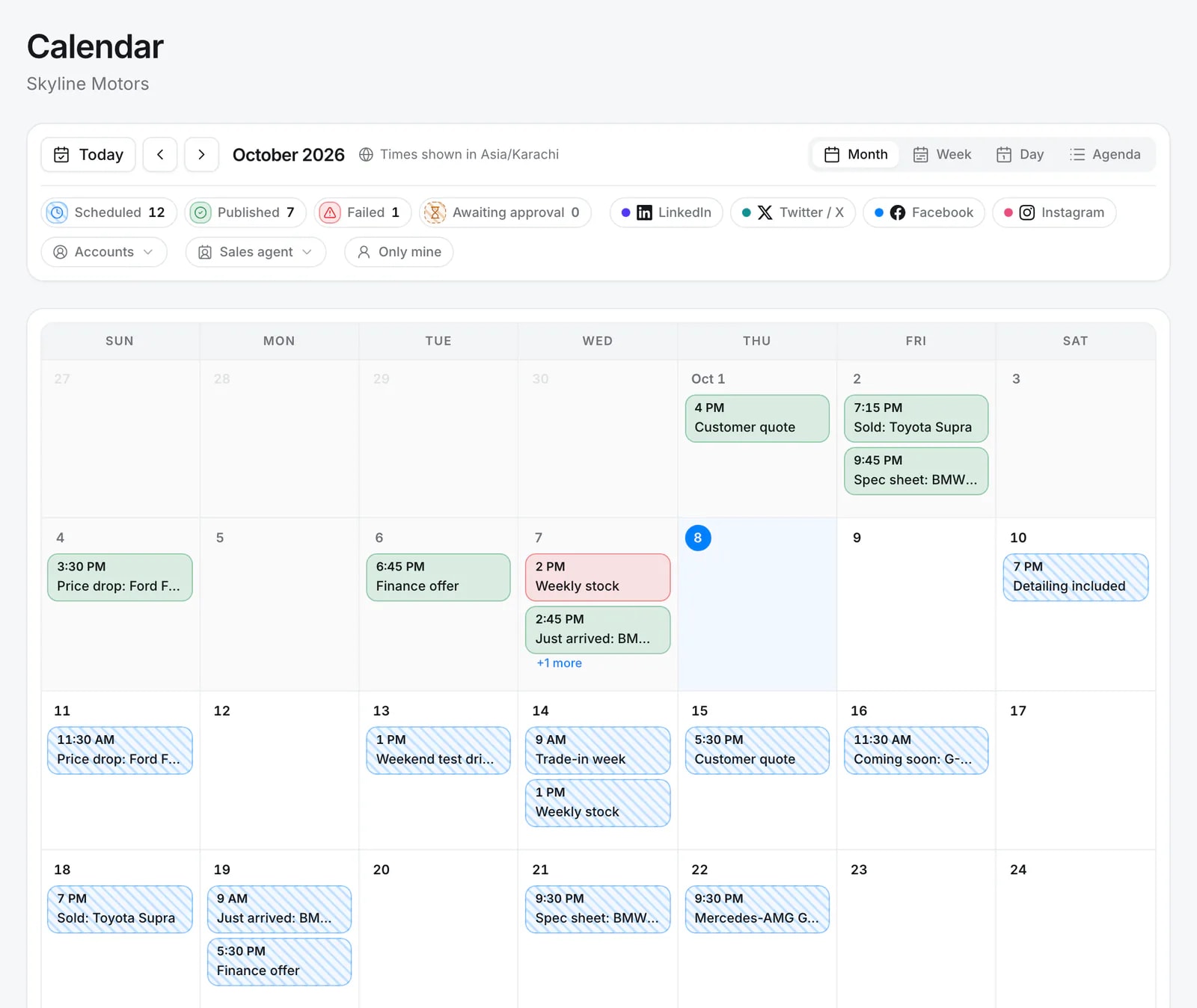
- Solid = published, hatched = scheduled
- Live notifications when posts go out
- Per-network options in one composer
Quick answer
What is a social media scheduler?
A social media scheduler is a tool that publishes your posts to social networks automatically at a time you set, so you can prepare content in advance. Quevix combines the scheduler with a visual calendar, AI writing and templates, and publishes to Facebook Pages, Instagram professional accounts, Threads, LinkedIn profiles and pages, TikTok and X.
Social media scheduler: what you get
One composer, every network
Write once, then adjust per network: first comment on Facebook and Instagram, polls on X and LinkedIn, privacy settings on TikTok.
See the gaps instantly
Published posts are solid, scheduled posts are hatched. Empty days stand out before your audience notices them.
Real-time status
Quevix shows a notification when a post is published or needs attention, and emails one summary per post.
Your time zone
Scheduling follows your business time zone, so a 9am post goes out at 9am for your customers.
The whole month, at a glance
Published posts are solid, scheduled ones are hatched, failed ones are red. Filter by network, status or sales agent, and switch between month, week, day and agenda.
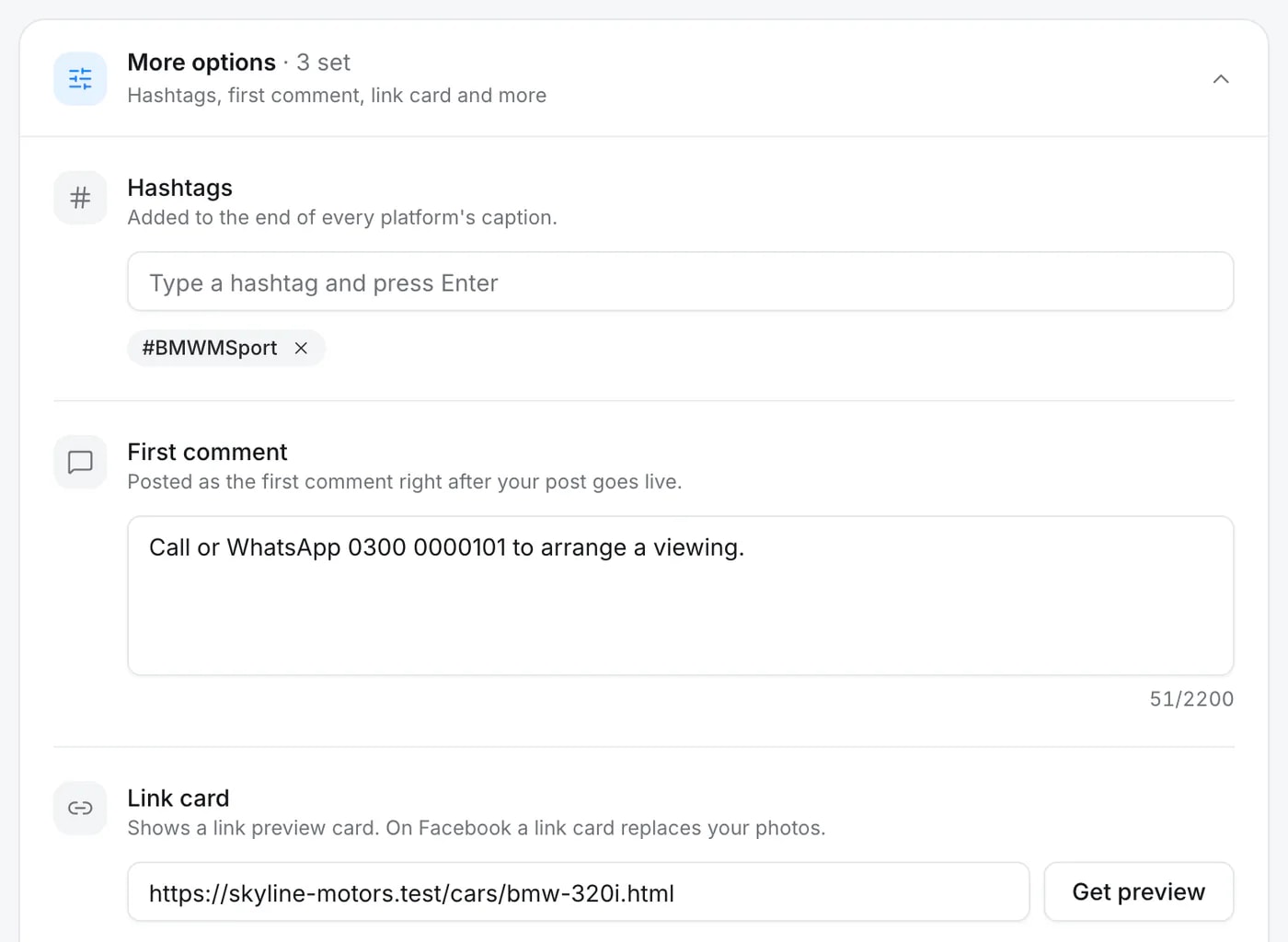
Every network’s options in one composer
Hashtags, a first comment, the link card and more sit under one panel, set once and applied to each network the way it supports them.
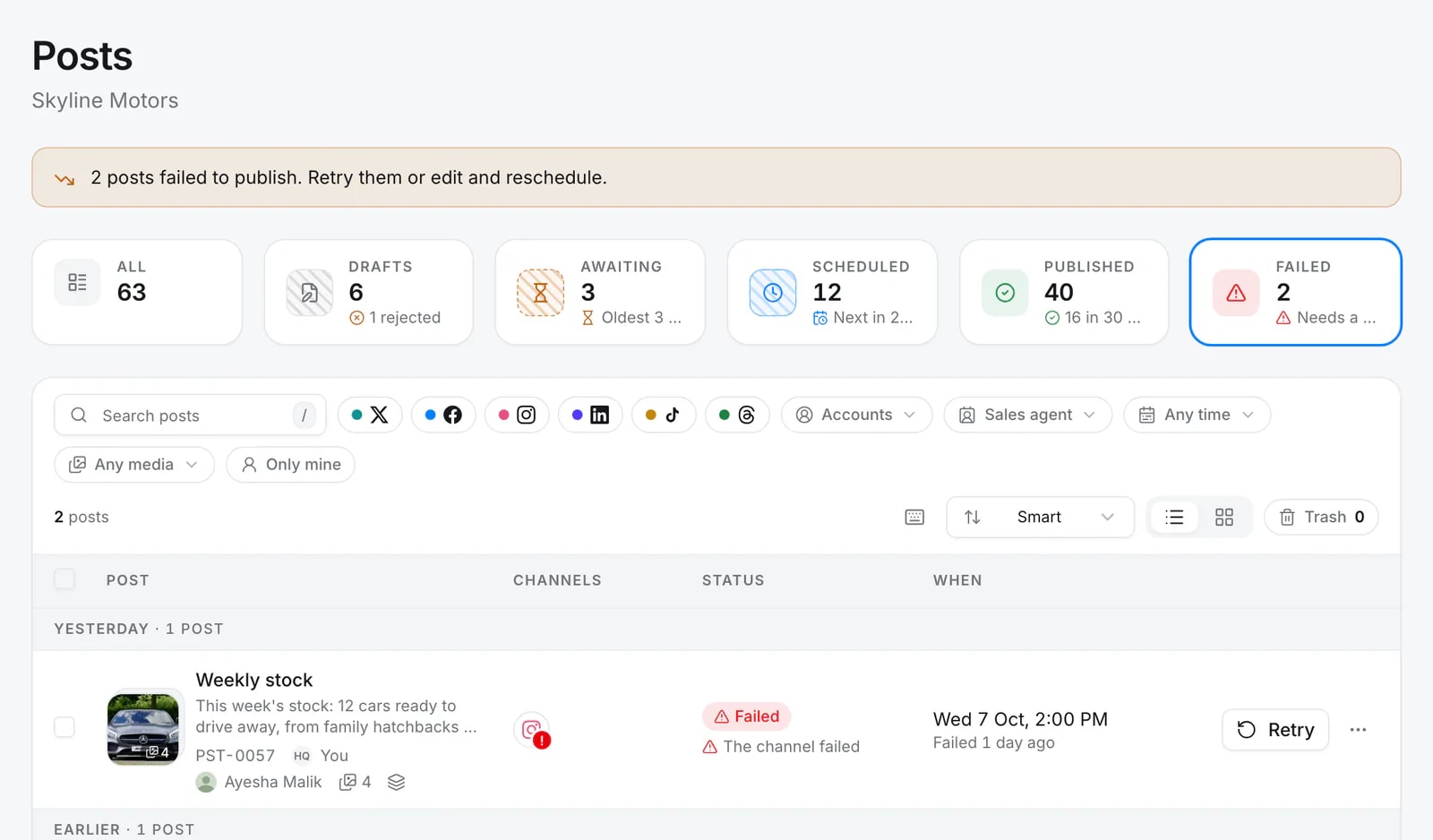
When a post fails, you know why
A post that could not go out says so in plain words, with the reason from the network, so you can reconnect, edit or retry.
How it works
- Step 1
Connect your accounts
Sign in to each network once. Connect several pages or profiles per network if your plan allows.
- Step 2
Create the post
Write it, generate it with AI, start from a link or pick a template.
- Step 3
Pick a time
Publish now, choose a date and time, or drop it onto the calendar.
- Step 4
Watch it go live
Quevix publishes at the set time and updates the calendar and your notifications.
Which networks can I schedule to?
Quevix publishes to Facebook Pages, Instagram professional accounts, Threads, LinkedIn profiles and company pages, TikTok and X. Pinterest and YouTube are on the roadmap.
- Facebook: posts and reels, with first comment and location
- Instagram: feed posts, carousels, reels and stories, with first comment and location
- Threads: text, photo, video and carousel posts
- LinkedIn: text, photo and video posts, and polls
- TikTok: videos and photo posts
- X: posts with up to four images, and polls
Scheduling for teams
Admins and managers schedule directly. Editors’ posts go to an approval queue first. Every workspace keeps its own calendar, so two brands never mix.
Frequently asked questions
Can I schedule Instagram reels and stories?
Yes. Quevix publishes Instagram feed posts, carousels, reels and stories to professional (Business or Creator) accounts.
Can I post the same content to several networks at once?
Yes. Select several accounts in the composer and Quevix publishes to all of them, with a version of the caption tuned to each network.
What happens if a post fails?
You get a notification with the reason, such as an expired connection or media the network rejected, and the post stays in your calendar so you can fix and retry it.
Is there a limit on scheduled posts?
Each plan has a monthly post allowance per workspace. See the pricing page for current limits.
Keep exploring
All features- FeatureApproval workflowEditors draft, managers approve, nothing goes out by mistake.
- FeatureSocial media analyticsReach, engagement, followers and your best time to post.
- IntegrationsIntegrationsThe social networks Quevix publishes to.
- Car dealersA social media content calendar for car dealers (free template)A four-week social media content calendar built for car dealerships, with daily post types, formats and a one-hour weekly batching routine.
Start posting with Quevix today
Free plan, no card required. Connect your accounts and publish your first AI-written post in minutes.