Drafts in, approved posts out
Invite your team as admins, managers, editors or viewers. Editors’ posts wait for approval, managers publish directly, and everyone can see what is pending.
- Four roles: admin, manager, editor, viewer
- Approval queue for editors’ posts
- Edits after approval need re-approval
- Access per workspace
Quick answer
What is a social media approval workflow?
A social media approval workflow is the rule that decides who can publish and who must have posts checked first. In Quevix, roles set it: admins and managers can schedule directly, editors submit posts for approval, and viewers can only look. Editing an approved post sends it back for approval, so what goes live is always what was signed off.
Approval workflow: what you get
No accidental posts
Interns and freelancers can draft as much as they like; nothing reaches your page until a manager approves.
One queue, not email threads
Pending posts sit in one list with previews, so approving takes seconds.
Right access per client
Managers, editors and viewers only see the workspaces they are added to.
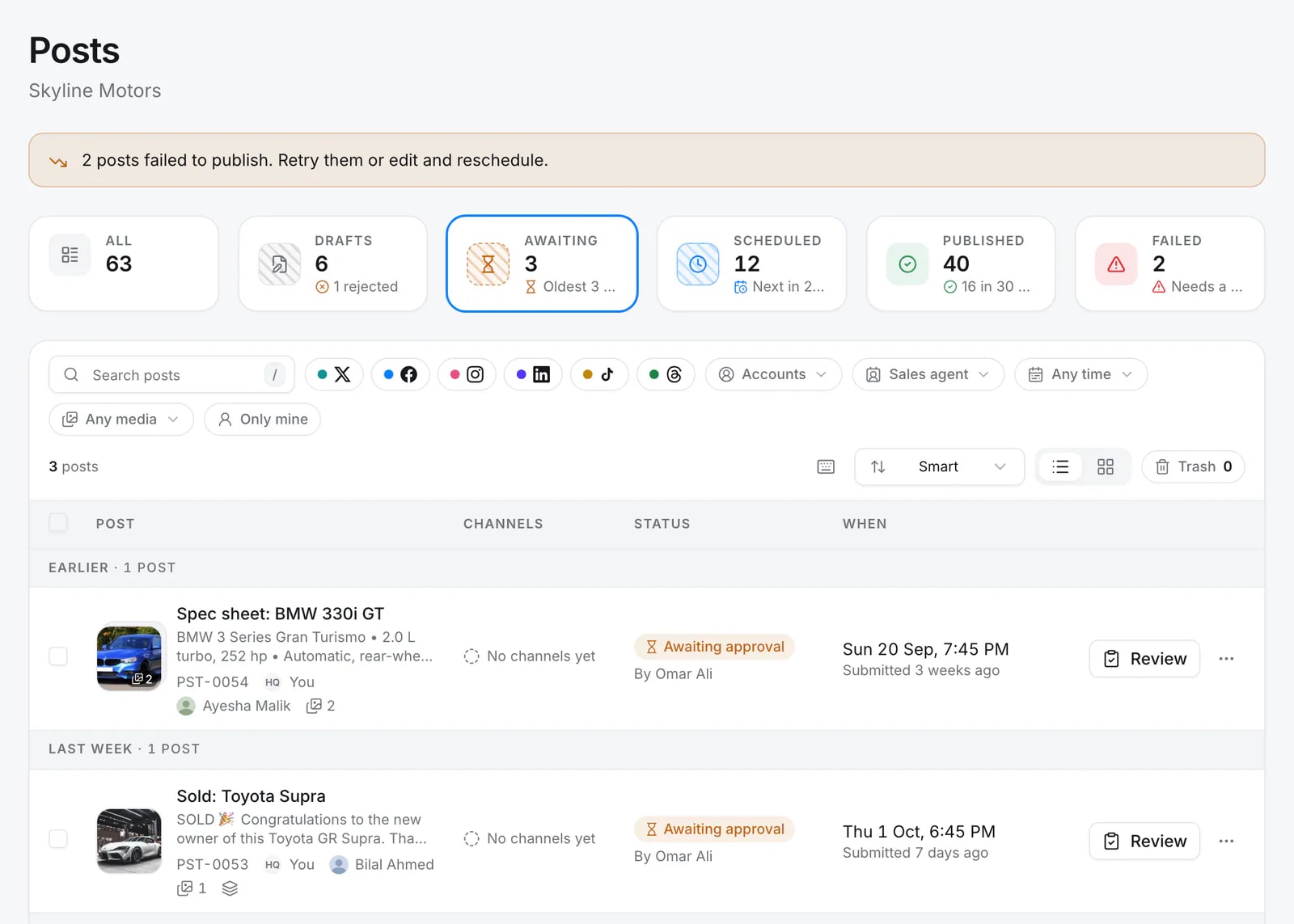
Everything awaiting approval, in one queue
Posts submitted by editors wait under Awaiting, with who sent them and when. Open one, approve it or send it back with a note.
Roles that match how you work
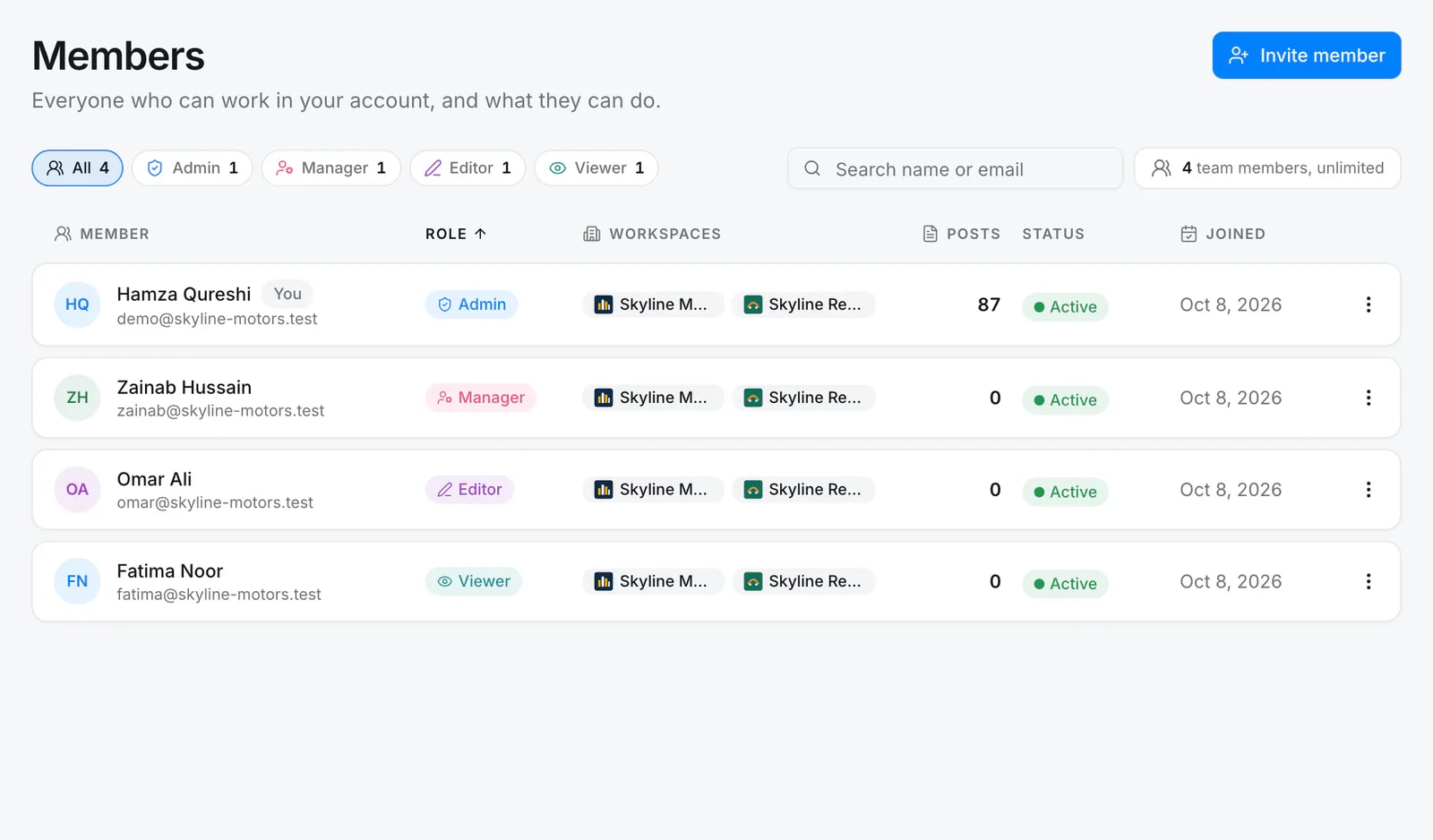
Admins run the account, managers publish and approve, editors write and submit, viewers look. Each member sees only the workspaces you give them.
Roles at a glance
Quevix has four team roles:
- Admin: everything, including billing and every workspace
- Manager: schedule directly, approve editors’ posts, manage their workspaces
- Editor: create and edit posts, submit them for approval
- Viewer: read-only access to calendars and analytics
Frequently asked questions
Can an editor publish without approval?
No. An editor’s post is submitted for approval. Once a manager approves it, the editor can schedule or publish their own approved post.
What happens if someone edits an approved post?
The approval is removed and the post goes back to the queue, so the published version is always the approved one.
Keep exploring
All features- FeatureWorkspacesOne workspace per brand, showroom or client, with zero overlap.
- IndustryMarketing agenciesClient workspaces, roles and approvals for social media agencies.
- PlaybooksHow to run client approvals without email threadsRoles, workspaces and a single approval queue: the agency workflow that keeps clients in the loop and posts on schedule.
Start posting with Quevix today
Free plan, no card required. Connect your accounts and publish your first AI-written post in minutes.