Every brand in its own workspace
A workspace is one business: its social accounts, brand kit, templates, sales agents, calendar and analytics. Run two showrooms or twenty clients from one login, with no chance of posting to the wrong page.
- Separate accounts, brand kit and calendar
- Team access per workspace
- Switch in one click
- Plans include several workspaces
Quick answer
How do you manage social media for multiple businesses?
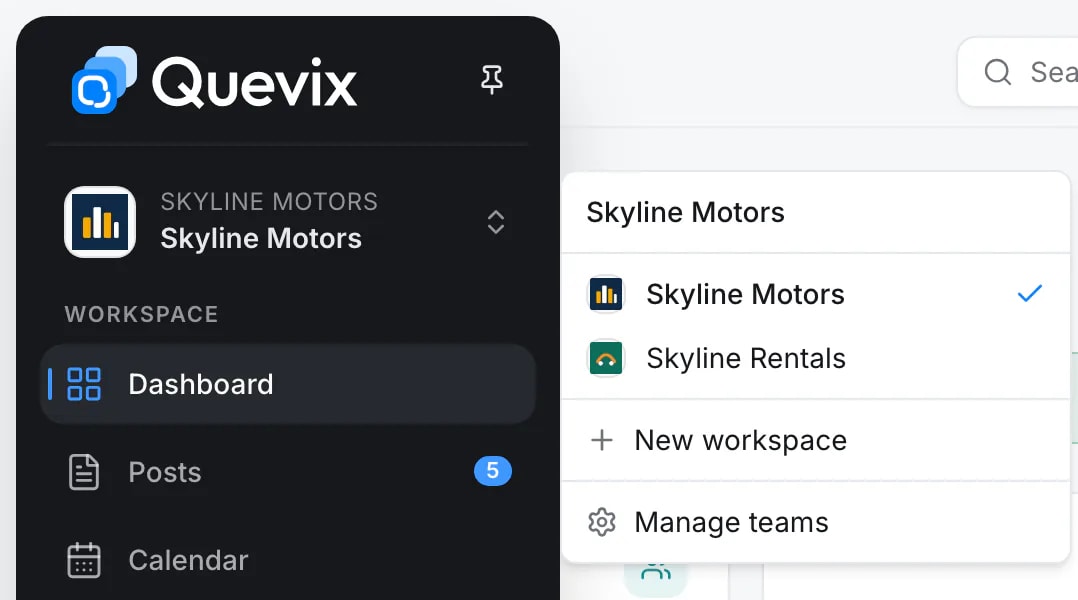
Give each business its own space with separate accounts, branding and team access. In Quevix that is a workspace: switch between workspaces from the top bar, invite people only to the workspaces they work on, and see each one’s calendar and analytics on their own.
Workspaces: what you get
No cross-posting mistakes
A post can only go to the accounts in its own workspace.
Multi-location dealers
Two showrooms become two workspaces, each with its own stock, agents and pages.
Agency-ready
Give clients viewer access to their own workspace and keep everything else private.
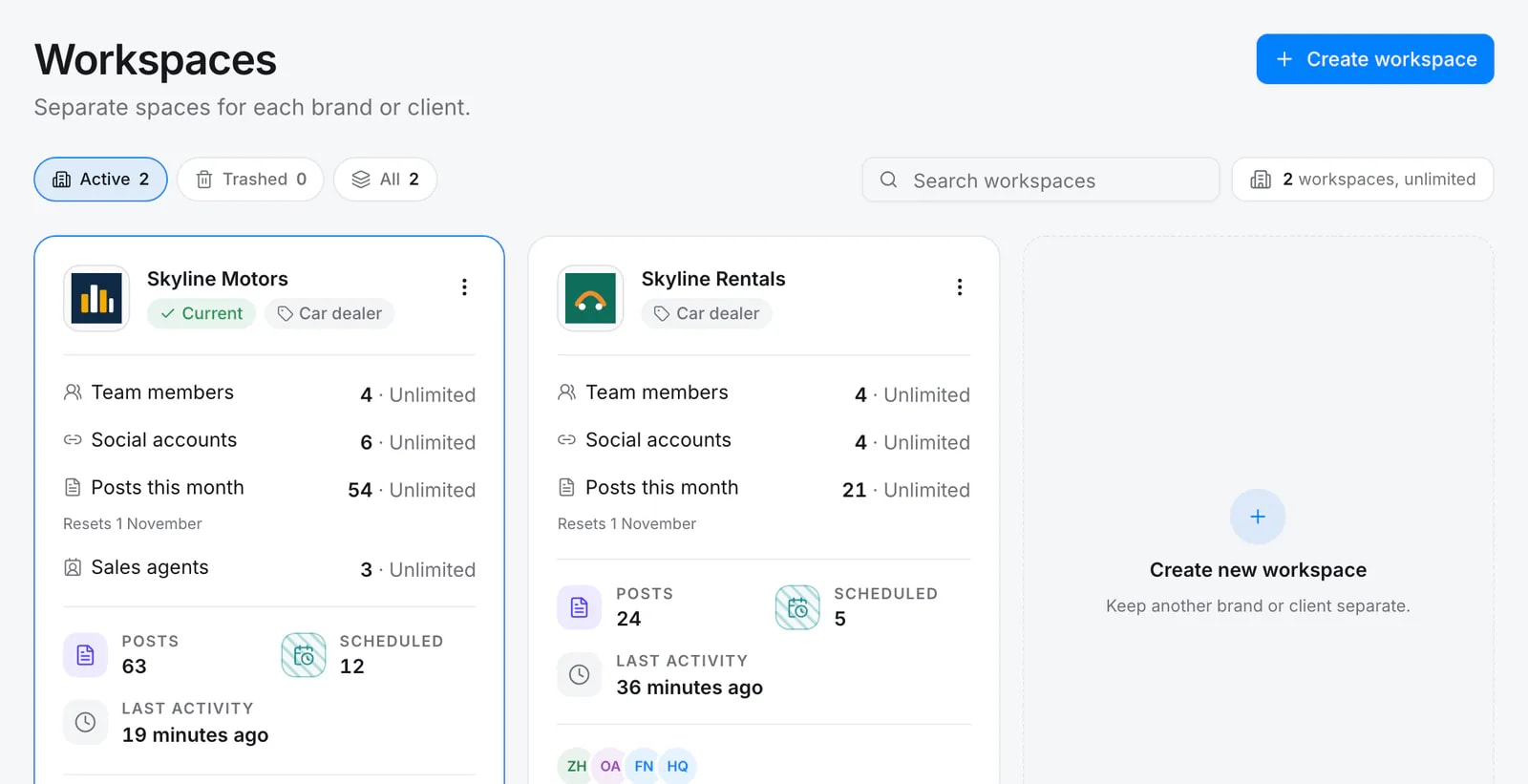
Each business, its own workspace
Every workspace shows its own team, accounts, posts this month and sales agents, with its own logo and brand kit.
Decide who sees what
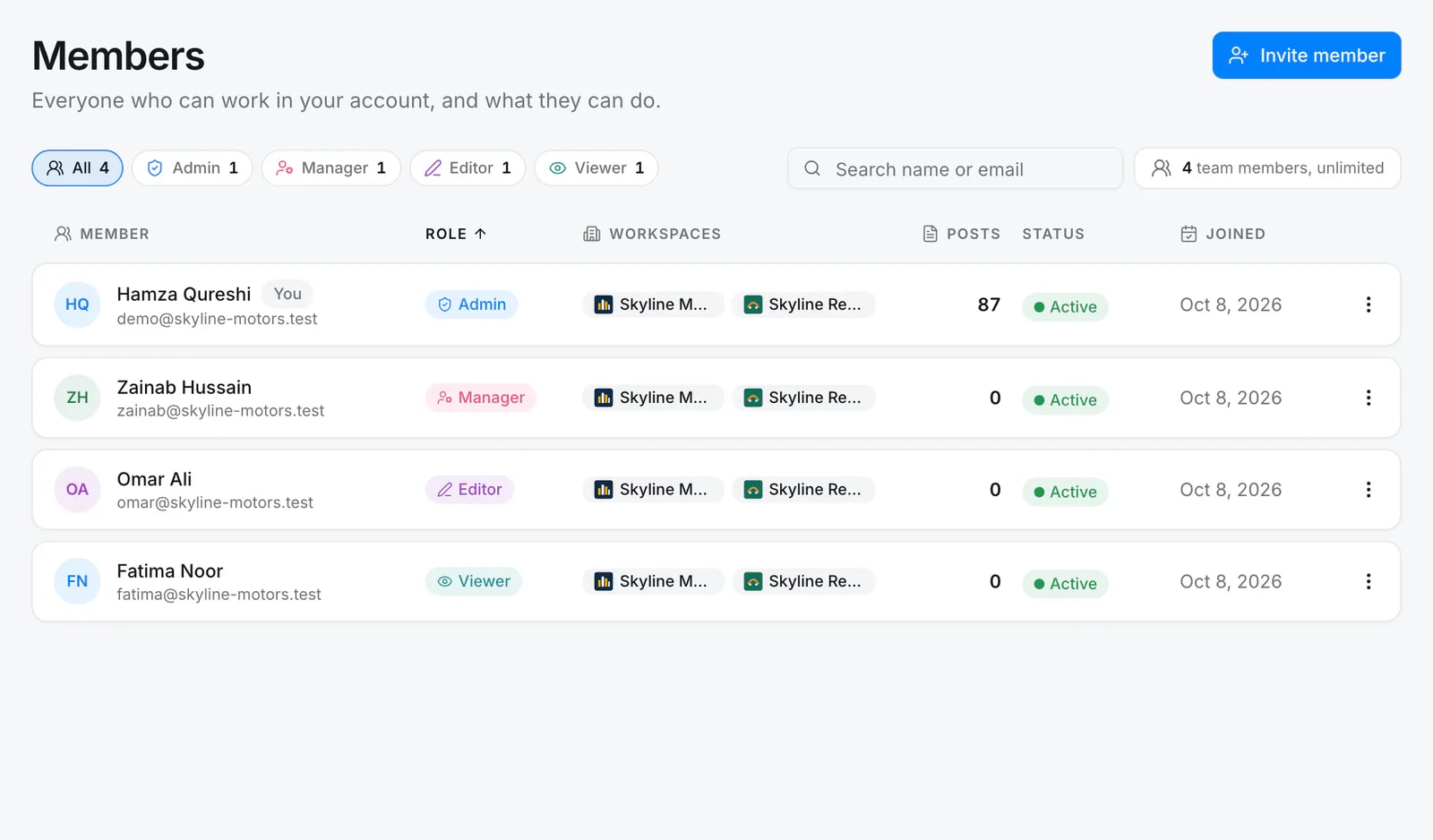
Give each member a role and the workspaces they can open. A manager of one showroom never sees the other’s posts.
Connect as many accounts as your plan allows
Inside a workspace you can connect any mix of accounts up to your plan’s limit: several Facebook pages, or one each of Facebook, Instagram, Threads, TikTok and LinkedIn. You can even connect more than one login per network and pick pages from each.
Frequently asked questions
How many workspaces do I get?
It depends on your plan. See the pricing page for current limits.
Can a teammate access only one client?
Yes. Managers, editors and viewers only see the workspaces they have been added to. Admins see all of them.
Start posting with Quevix today
Free plan, no card required. Connect your accounts and publish your first AI-written post in minutes.