Know what works. Post when it counts.
Quevix collects the stats of every post it publishes, from every network, and turns them into one dashboard: reach, engagement, follower growth and a heatmap of your best hours.
- Stats fetched automatically
- Reach, engagement and follower growth
- Per-post and per-network views
- Best-time heatmap from your own posts
- Plain-language insights
Quick answer
How do you measure social media performance?
Track reach (how many people saw a post), engagement (likes, comments, shares and saves) and follower growth over time, then compare posts and networks. Quevix fetches these numbers automatically for every post it publishes and adds a best-time heatmap built from your own audience’s activity.
Social media analytics: what you get
All networks, one view
Stop opening five apps to see how a campaign did.
Your audience, not averages
The best-time heatmap is built from your posts, not from generic industry charts.
Insights in sentences
Quevix explains what changed in plain words, so you do not need to read charts to act.
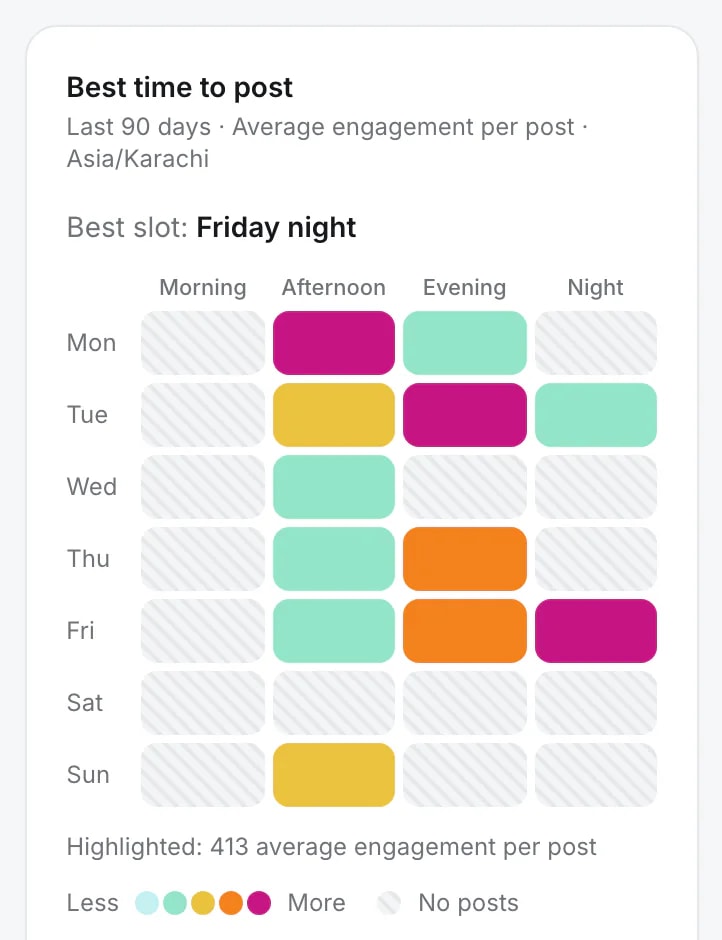
The hours your audience answers
A heatmap of the last 90 days, in your own time zone, shows which days and times earn the most engagement per post, and names the best slot.
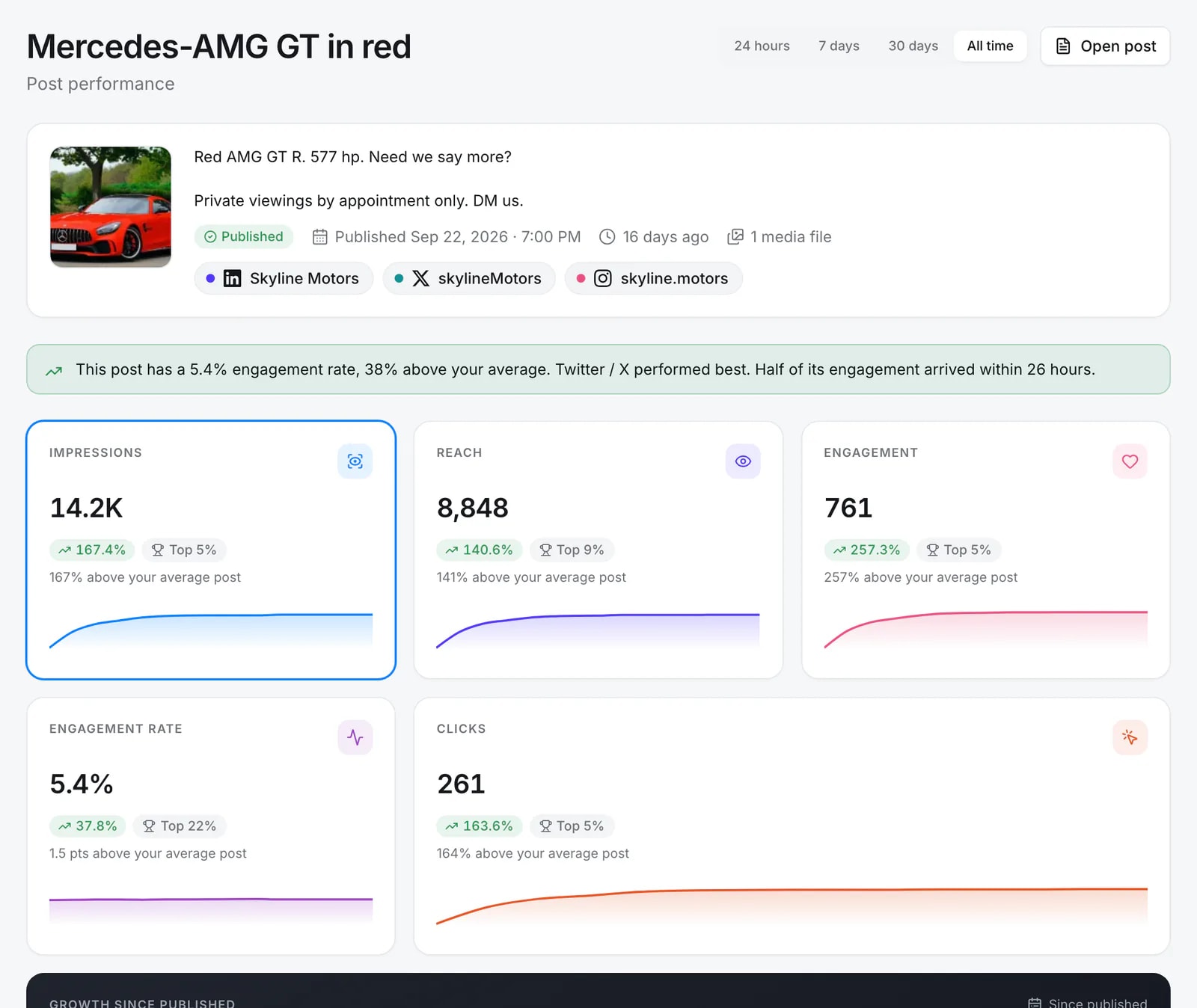
Every post, measured
Open any post for its impressions, reach, engagement, rate and clicks, compared with your average and with how it grew over time.
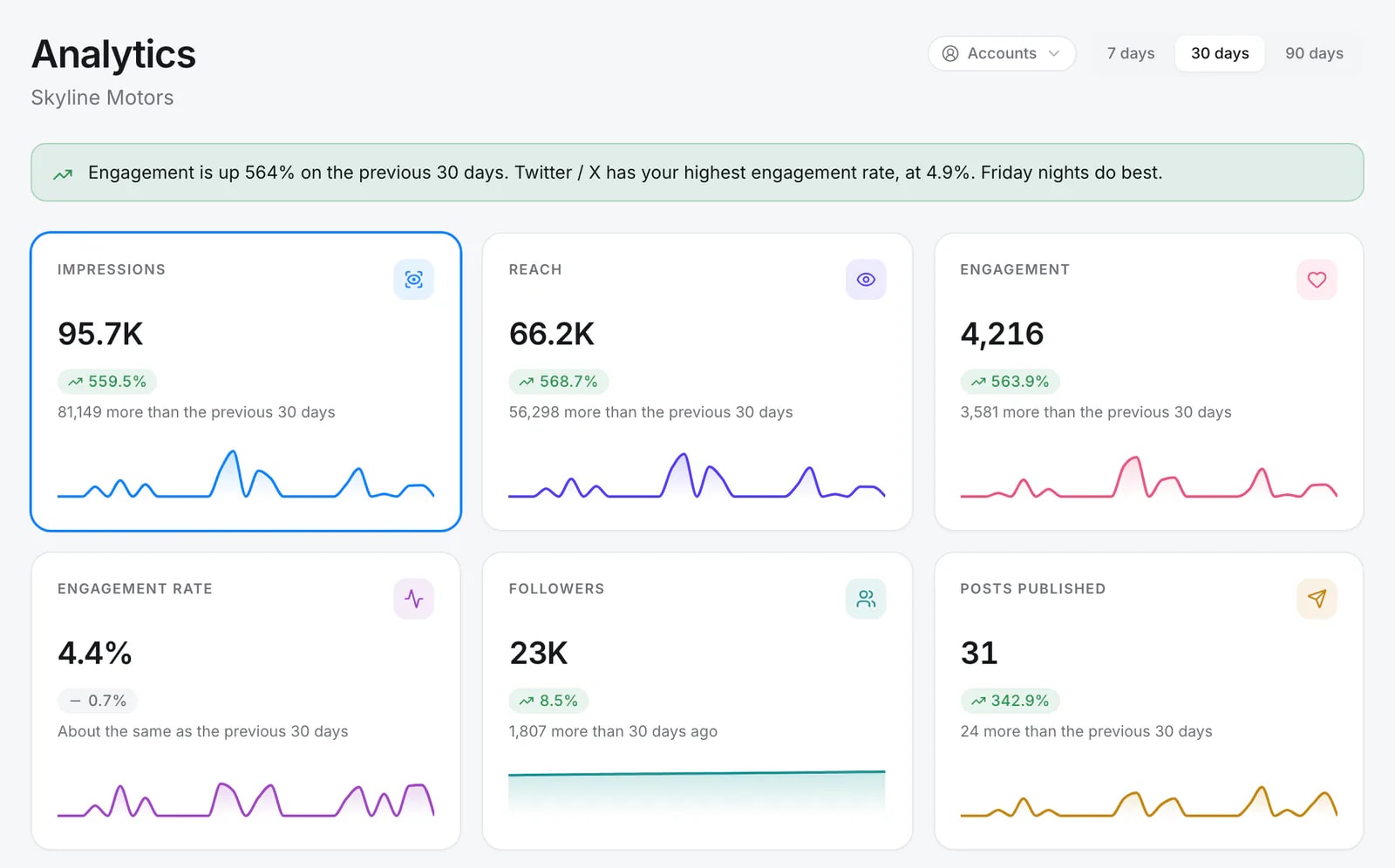
Numbers in plain words
The dashboard says what changed in a sentence, then shows the trend behind each number against the period before.
What Quevix measures
Metrics depend on what each network shares through its API, and include:
- Impressions and reach
- Likes, comments, shares and saves
- Video views
- Follower growth per account
- Top posts by engagement
Frequently asked questions
Do I get analytics on the Free plan?
Yes. Analytics is included on every plan.
Does Quevix show stats for posts I published elsewhere?
Quevix shows stats for the posts it publishes. Follower growth covers the whole account.
How often are stats updated?
Quevix fetches stats on a schedule after a post is published, so numbers keep updating while the post is still getting views.
Keep exploring
All features- FeatureSocial media schedulerPlan, schedule and publish to every network from one calendar.
- ProductHow to find your best time to post on social mediaGeneric “best time to post” charts are averages of other people’s audiences. Here is how to find and use the hours that work for yours.
- ResourcesSocial media glossaryPlain definitions of social media terms.
Start posting with Quevix today
Free plan, no card required. Connect your accounts and publish your first AI-written post in minutes.